Pushbullet alternative for iPhone
Pushbullet no longer has an iPhone app in the App Store, and its notification mirroring and texting rely on an Android phone. Sendover does the sending part on an iPhone: links, text and files go between your phone's web app and a Chrome extension or website on your computer, with no account.
How is Sendover different from the other options?
Pushbullet does a few different things, so here is how the options compare:
- Pushbullet: links, notes and filesPushbullet sends links, notes and files between your devices. As of October 2026 its iPhone app is no longer in the App Store.
- Pushbullet: notifications and textingPushbullet's API documentation names Android devices as the source of mirrored notifications, and texting goes through an Android phone's SMS permissions.
- WhatsApp or Telegram to yourselfWorks on any phone, but you open a chat app on the computer, where it loads your chats.
- SendoverSends links, text and files and nothing else: it doesn't mirror notifications or text messages. In return it works with an iPhone through its web app, pairs with a Chrome extension or a website with no install, adds right-click sending in the extension, is end-to-end encrypted when your devices run current versions, and needs no account.
How it works in three steps
-
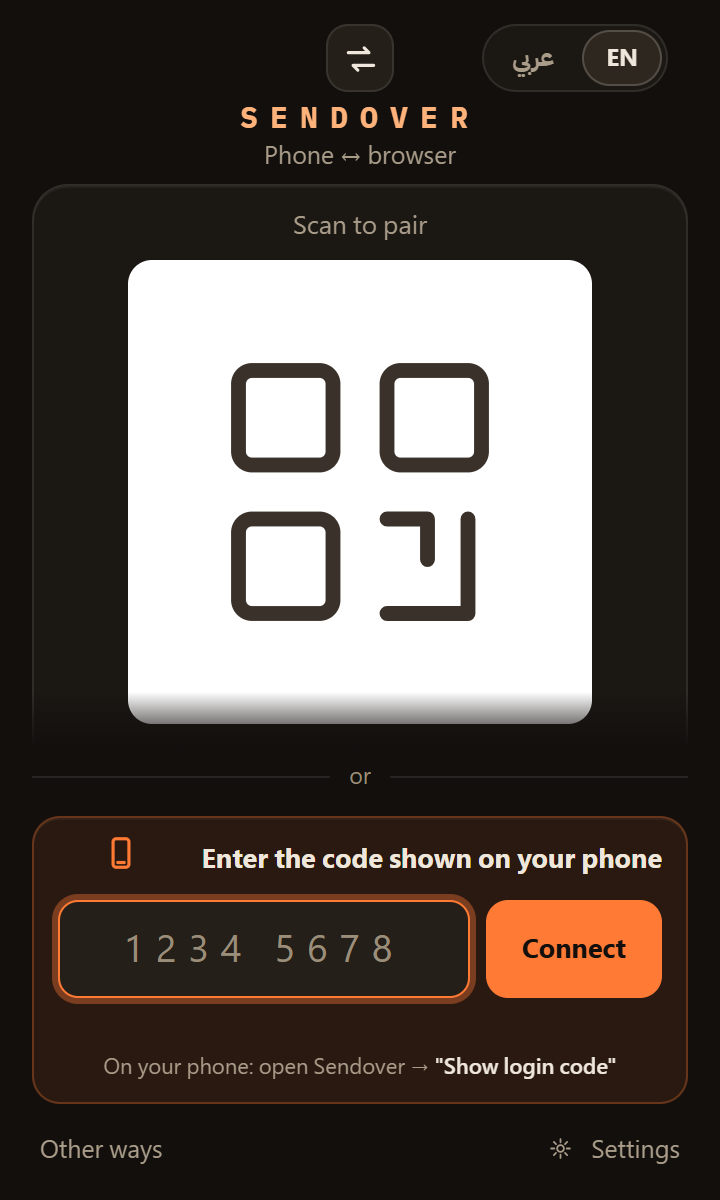
On your computer, install the Sendover extension in Chrome. On a computer where you can't install anything, open pc.sendover.dev. If the extension on your own computer is paired with the same phone, the site signs it out.
On your computer · once
-
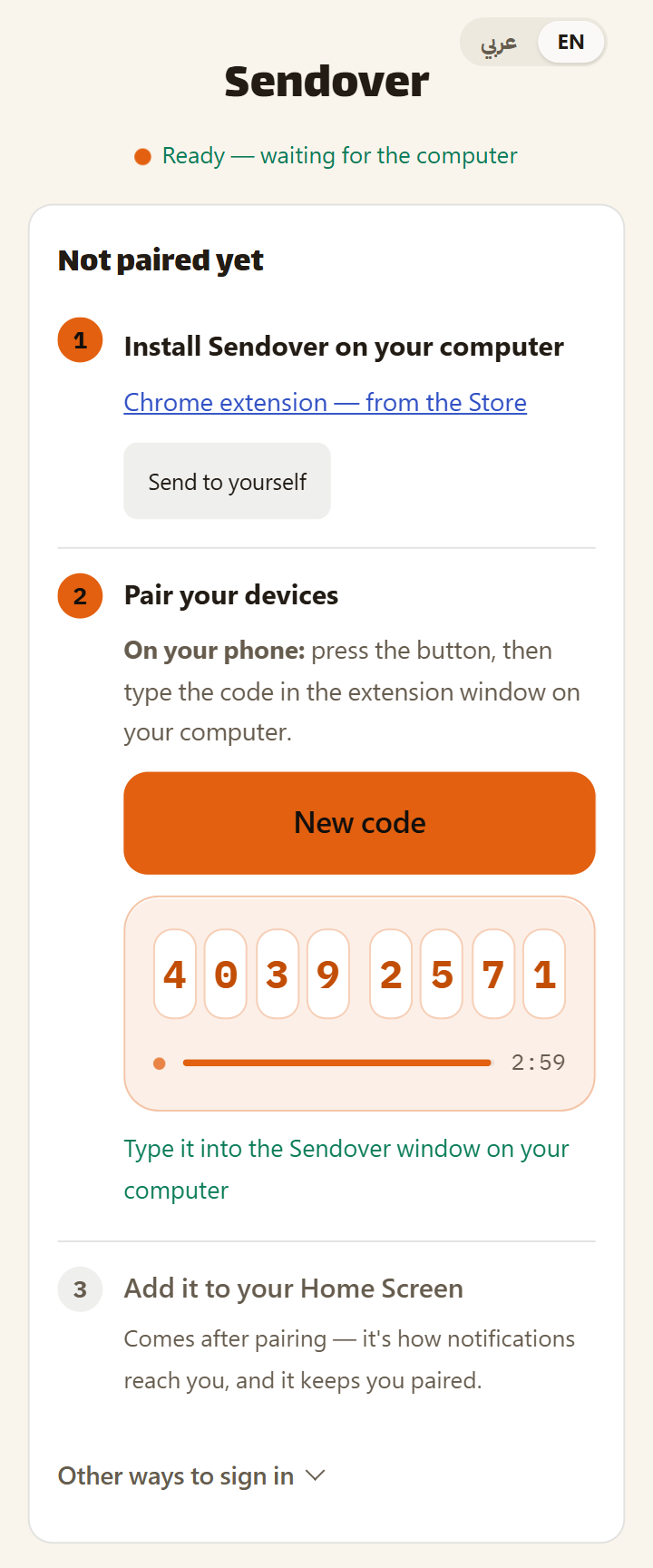
On your iPhone, open sendover.dev in Safari and tap "Show login code", then type the eight digits into the extension window, or into the field on pc.sendover.dev. Add sendover.dev to your Home Screen, which is also what lets iOS 16.4 or newer deliver notifications.
On your iPhone · once
-
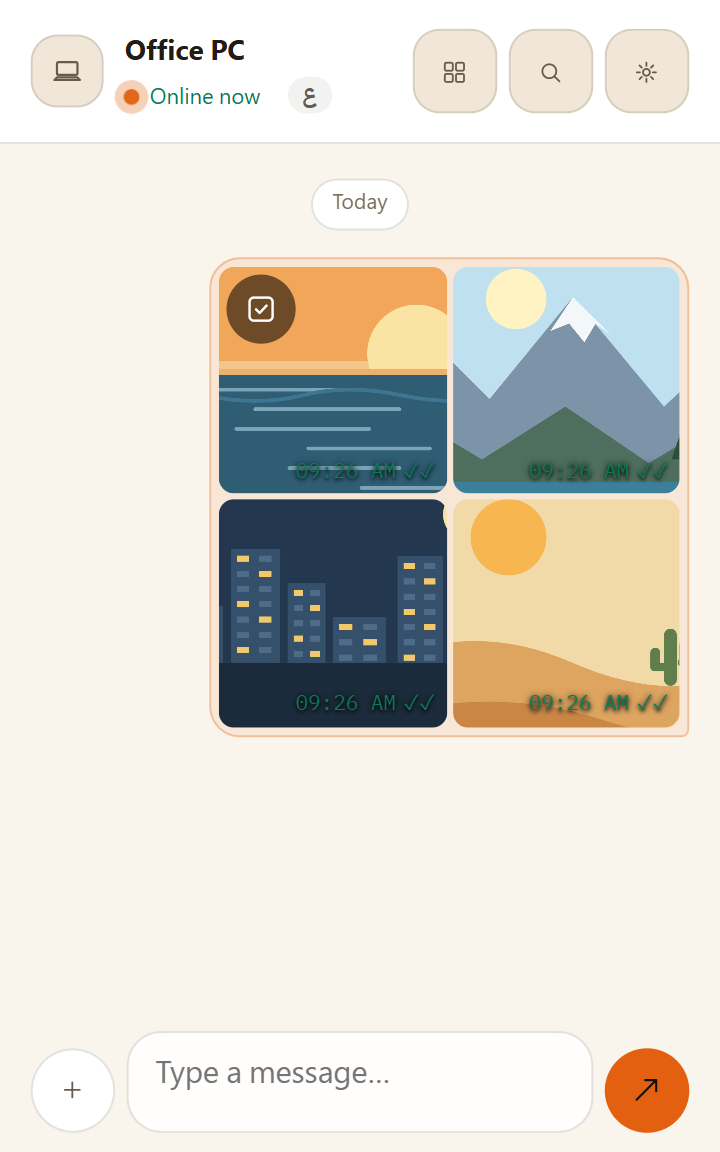
To send photos or files from your iPhone, tap + and then File in Sendover, and choose them; they send as soon as you pick them. With the extension, you can push a link or text from your computer to your phone: right-click a link or selected text on any page in Chrome and choose "Send link to my phone" or "Send text to my phone".
On your iPhone or your computer · any time after that
Frequently asked questions
Does Pushbullet have an iPhone app?
Not any more. As of October 2026 Pushbullet's iPhone app is no longer available in the App Store, and Pushbullet's API documentation lists Android devices as the only source of mirrored notifications. Check Pushbullet's own site for its current status.
Does Sendover mirror notifications or text messages?
No. Sendover doesn't mirror your phone's notifications or SMS. It sends links, text and files between your phone and your computer, in both directions, and can notify you when something arrives.
Does Sendover work on an iPhone?
Yes, through the web app. Open sendover.dev in Safari, add it to your Home Screen, and send from inside it: tap + and then File. Sendover doesn't appear in the iPhone share sheet, so you send from within Sendover rather than from other apps. Notifications on iOS need the app on your Home Screen and iOS 16.4 or newer.
Is there a Chrome extension?
Yes. It needs Chrome 127 or newer, saves incoming files to your Downloads folder under their own names by default, and adds right-click options to send a link or selected text to your phone. Where you can't install anything, use pc.sendover.dev. If your extension is paired with the same phone, the site signs it out.
Is it private?
Largely, yes. When your devices run current versions, what you send is end-to-end encrypted, which means our server can't read it or see file names. It does pass through the server, though, and a file stays there for a limited time: 1 hour after upload on the free plan, then 10 minutes after the first download, or 30 days on Pro.
Does it work on Android too?
Yes. Open sendover.dev in Chrome on your Android phone and add it to your Home Screen. It then appears in the Android share sheet, so you can share to it from your gallery and other apps.
Do I need an account, and is it free?
You don't need an account: pairing is a code you type once, with no email or password. Basic use is free, with files up to 10 MB each and 10 sends per hour, and a link, a text or a file each counts as one send. Pro raises those limits and costs SAR 7 a month, SAR 30 for 6 months or SAR 36 for a year.
On iPhone: open sendover.dev and add it to your Home Screen.